
At the end of this guide, you know which link in the chain from CS2 to OBS is broken and how to fix it, or exactly what to send support.
Before you start
- The collector open and signed in, with your event selected (Sign in, pair this PC and choose an event).
- OBS with the overlay source (Add the overlay to OBS).
Read the health row
-
Open Go Live in the collector. The ingest chain is CS2 → GSI → FWD: fix the first chip that is not green. OUT is the optional local on-top overlay and can stay grey when you use only OBS.
-
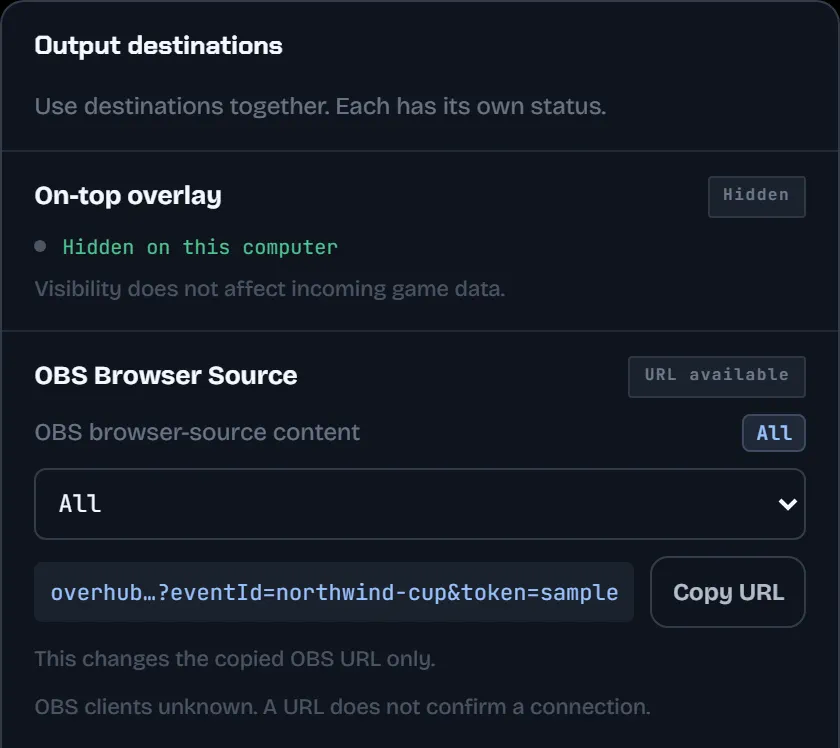
Click CS2, GSI or FWD to open Game & data. Each check shows a tick, an exclamation mark or a dash, with a button that fixes it. OUT opens Output destinations instead.
-
The bell next to your profile lists what happened, such as "GSI data stalled" or "Backend unreachable".
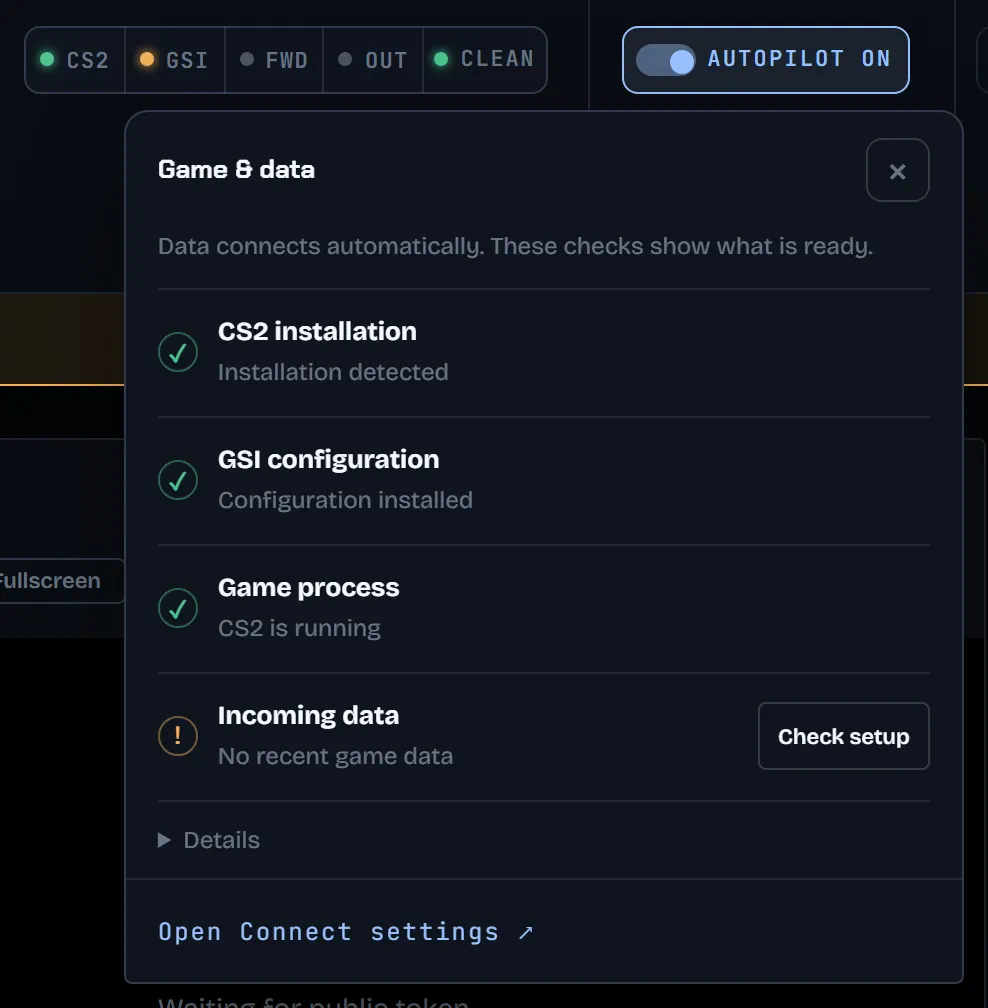
CS2
- Not found: choose Locate folder and select the
Counter-Strike Global Offensivefolder. - Ready to launch means CS2 is installed but not running. Start it, or choose Launch CS2 in the dock.
GSI
- Missing or Update available: choose Install GSI config or Update GSI config, then restart CS2.
- No recent game data: nothing has arrived from CS2 for more than 45 seconds. Check that CS2 is still running and load a match: the main menu sends nothing useful.
No events
- The Events list shows only the events of the signed-in account. Check the account in the profile menu; to switch accounts, choose Re-pair PC.
- No events yet. means the account has none: choose + Create event.
- An archived event cannot receive data. On the web, open Events and choose Reopen event in its menu.
No free seat
Paused: no free collector seat means another collector holds the last seat. Free one as described in Collector seats, sessions and billing.
OBS blank or stale
-
Copy the link again: OUTPUT in the dock → Output destinations → Copy URL. Paste it into the OBS source and refresh the source.
-
The link always belongs to the event selected in the collector. Check that OBS and the collector use the same event.
-
Check that the source is 1920 × 1080, visible, and above the gameplay.
-
If the overlay shows WAITING FOR DATA, nothing fresh has arrived for 45 seconds: go back to CS2 and GSI.
-
A preview never changes OBS. Only TAKE puts a graphic on air.
Prove the path
-
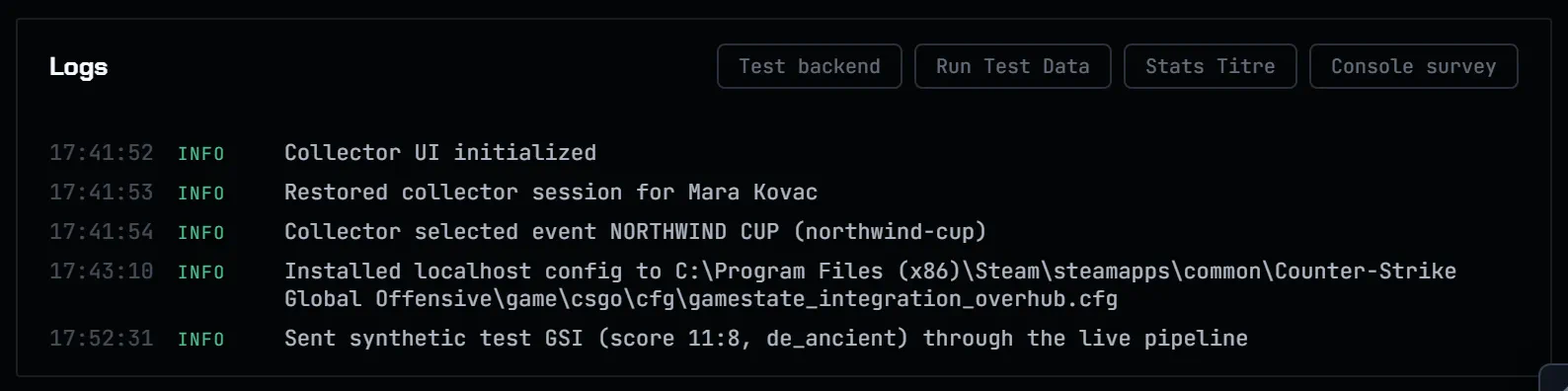
Off air only. Open Health in the collector's rail and, in Logs, choose Run Test Data.
-
It sends one known game frame through the real path: the overlay should show 11:8 on de_ancient. If it does, everything after the collector works, and the problem is between CS2 and the collector.
-
Test backend checks that the collector reaches Overhub.
What to send support
Four details make diagnosis faster.
- Where it happened: Collector, Setup, operator panel, overlay, OBS, or a connected tool.
- What you expected: The action you took and the result you needed on air.
- What you saw: The exact message, visible state, and local time with timezone.
- Useful context: Event name, Collector version, browser, and a redacted screenshot when relevant.
Use Message us at overhub.app/support/ or write to [email protected].
Never send passwords, one-time codes, API keys, OAuth authorization codes, session cookies, or ingest, operator, and overlay tokens. We do not need them to investigate a support request.