
Everything Overhub does. In detail.
One engine, nine chapters. Jump to what you came for.

Live CS2 data, every frame.
The HUD reads the game and draws itself.

Freeze time: the economy insert, every buy on the card.
Your HUD, your look.
It draws itself. Now make it yours.

Main on air.
The studio package is built by our studio for an event; colour packages and styles ship in the editor.
Before, during and after the match.
Then the show around the match, taken to air in one click.

STARTS SOON with its live countdown.
Titles on this stage are the Impact studio package, played by this page. The product also has its own native spotlight and veto scenes.Team stats: illustrative figures, with the designer's sample teams.
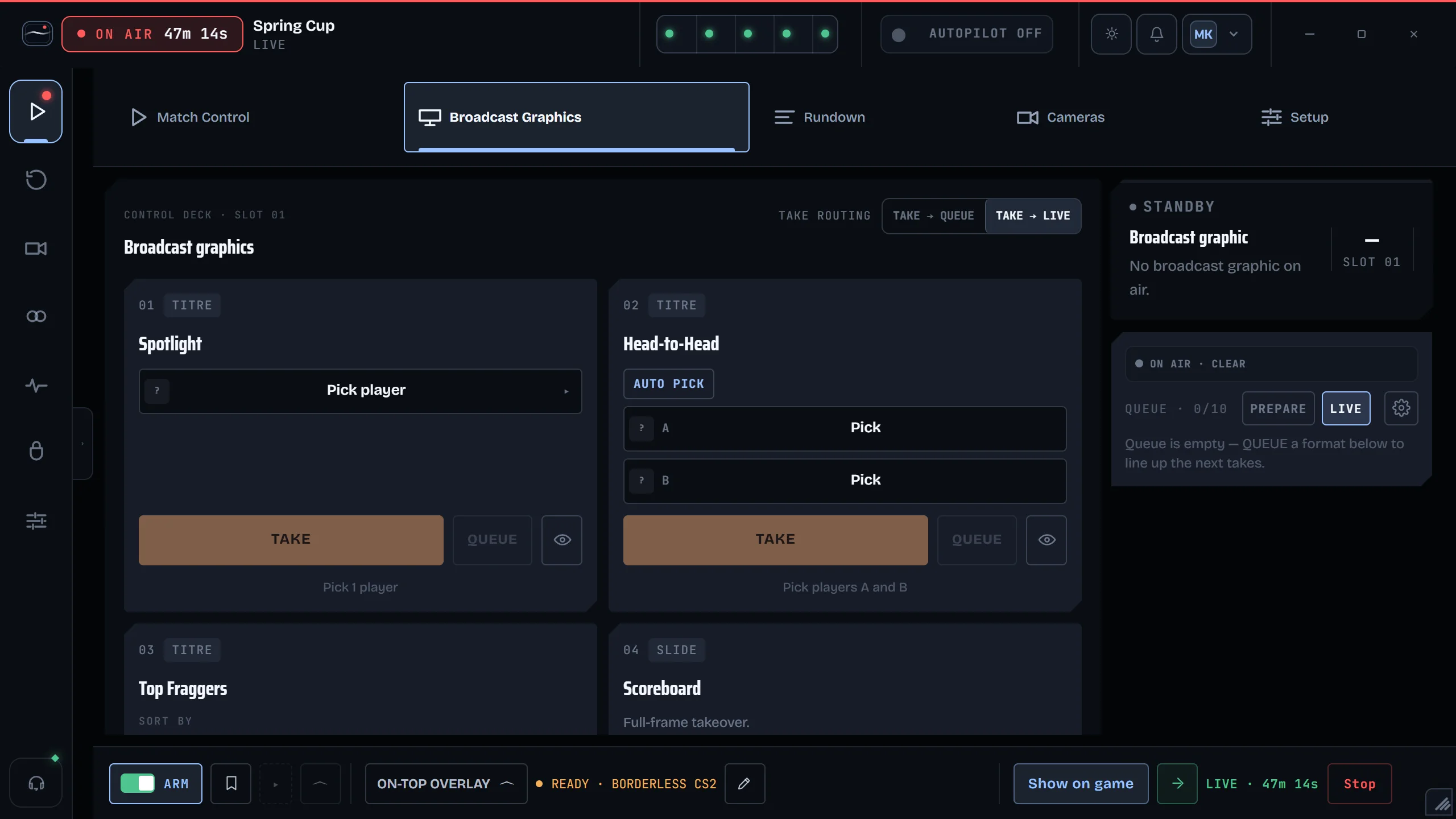
Autopilot runs the show.
And nobody has to press anything, though any key takes over.

Autopilot on, in the collector's top bar.
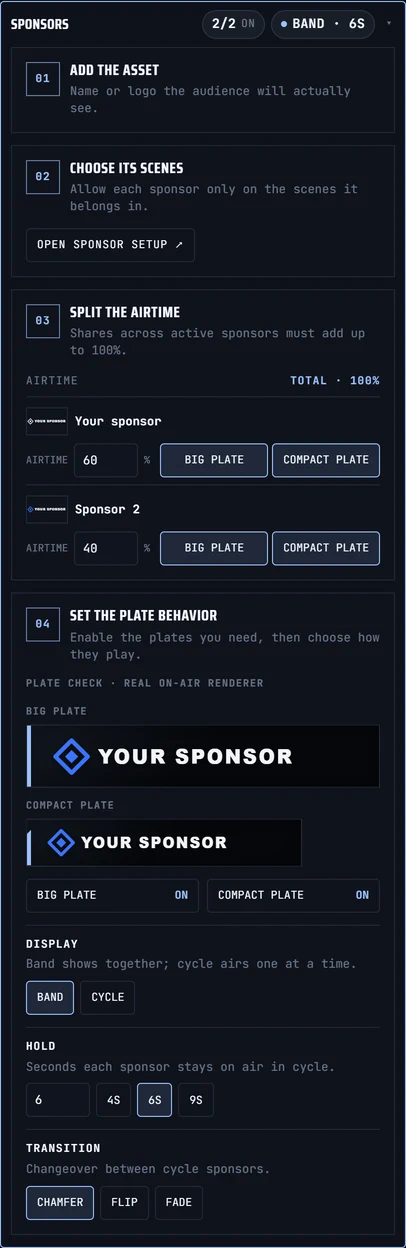
Your sponsor, anywhere on screen.
Your partners ride along: choose where each one appears.

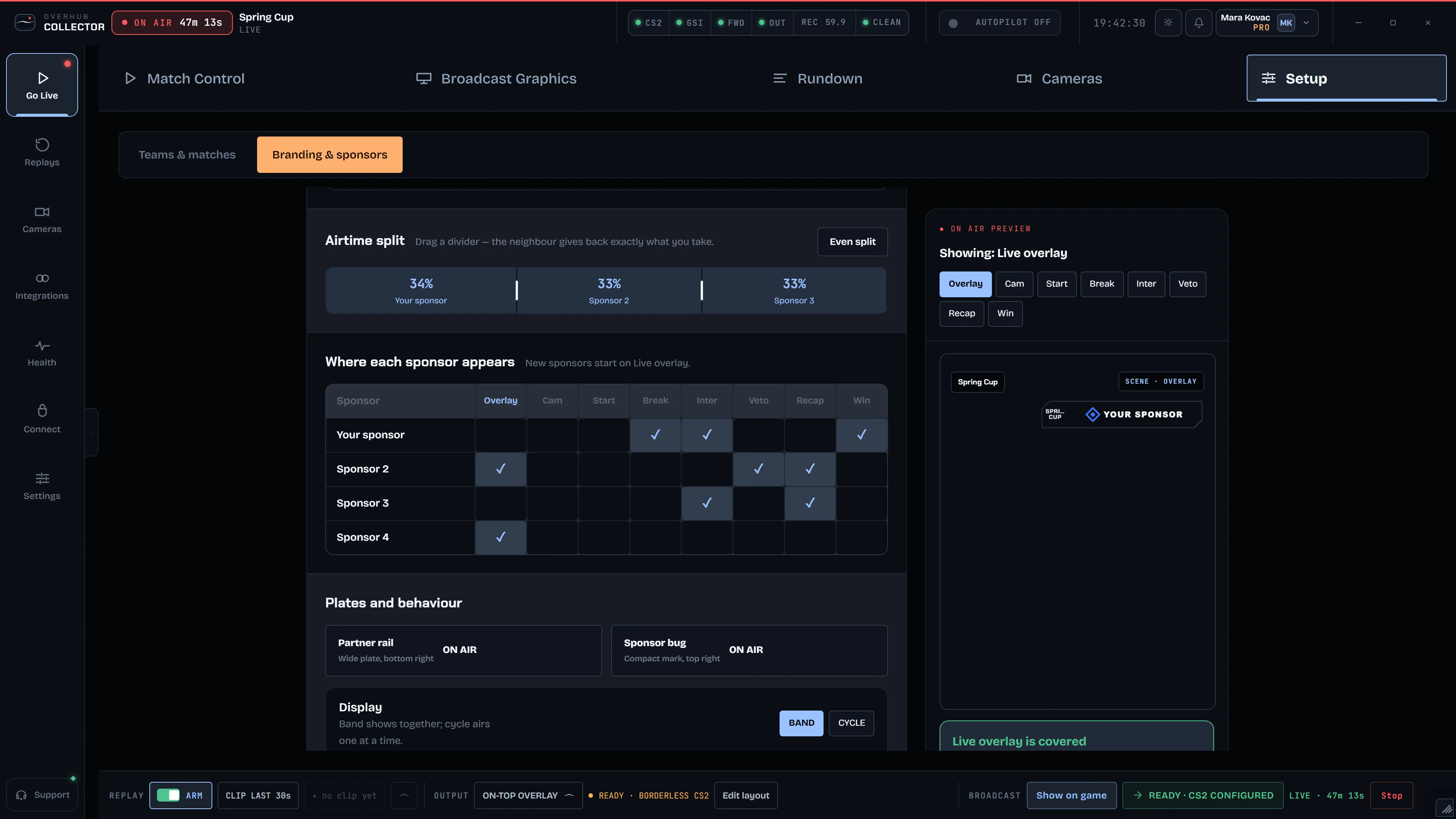
The Your sponsor row in the collector's matrix.
YOUR SPONSOR is a placeholder slot: in the collector, on the HUD plates and the player cam.
Player cams from their PC.
Guests join too: a browser link on the player's PC, output anywhere.

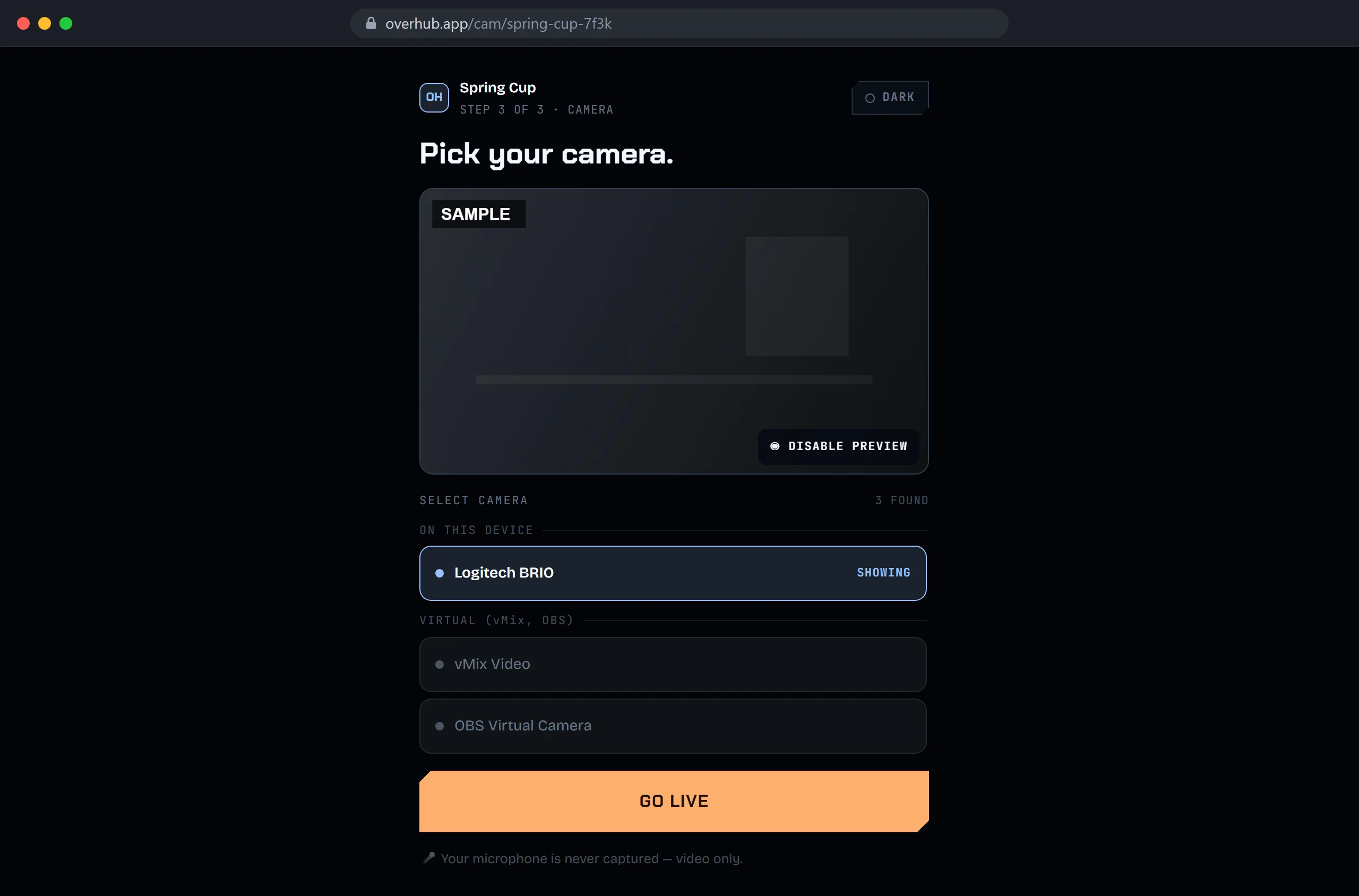
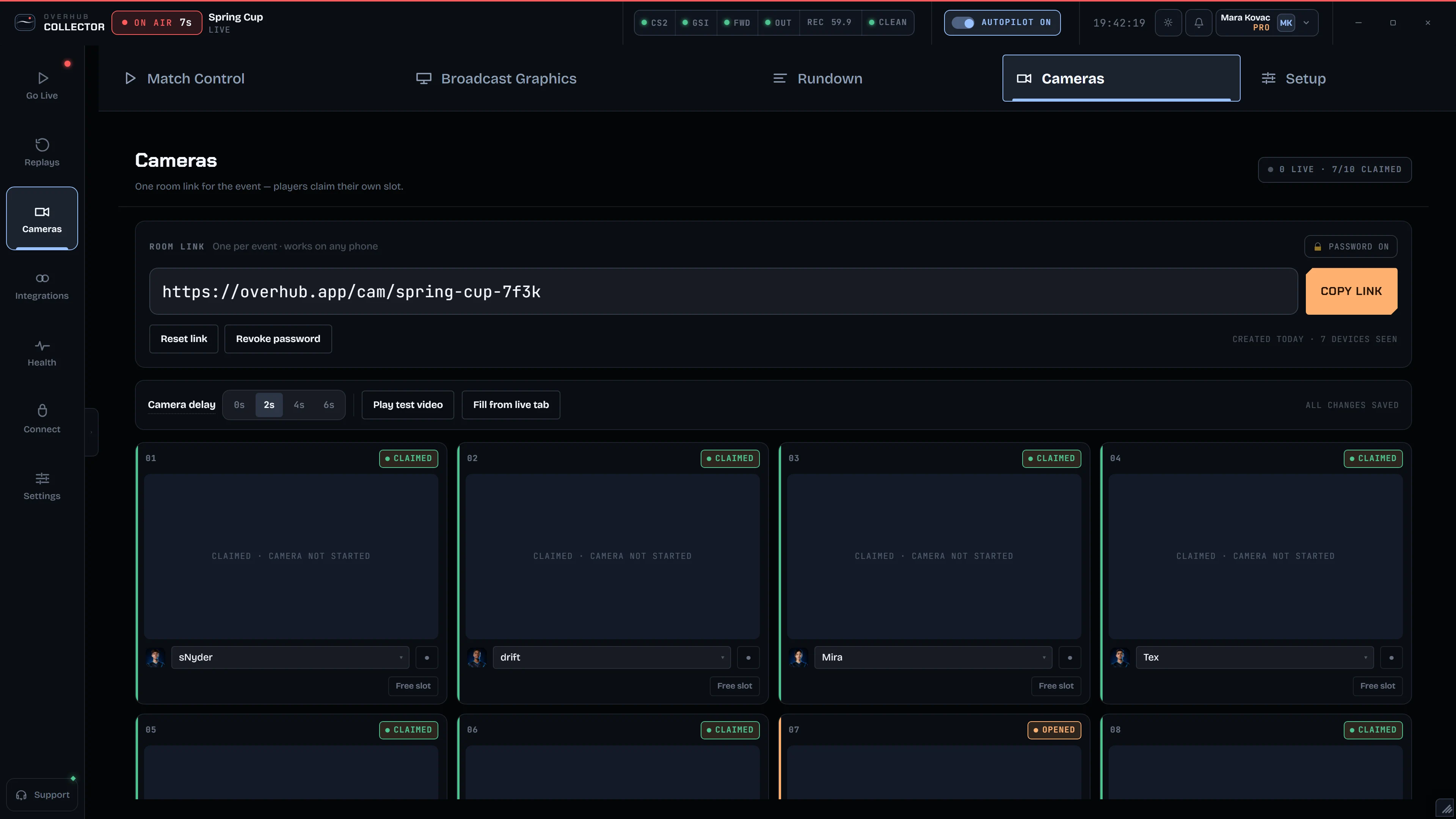
The player's PC: pick the camera, vMix Video.
SDI / NDI fill + key is a preview, not certified. The camera feed and device names are SAMPLE.
Last 30 seconds, back on air.
And when a moment lands, it airs again from the rolling buffer.

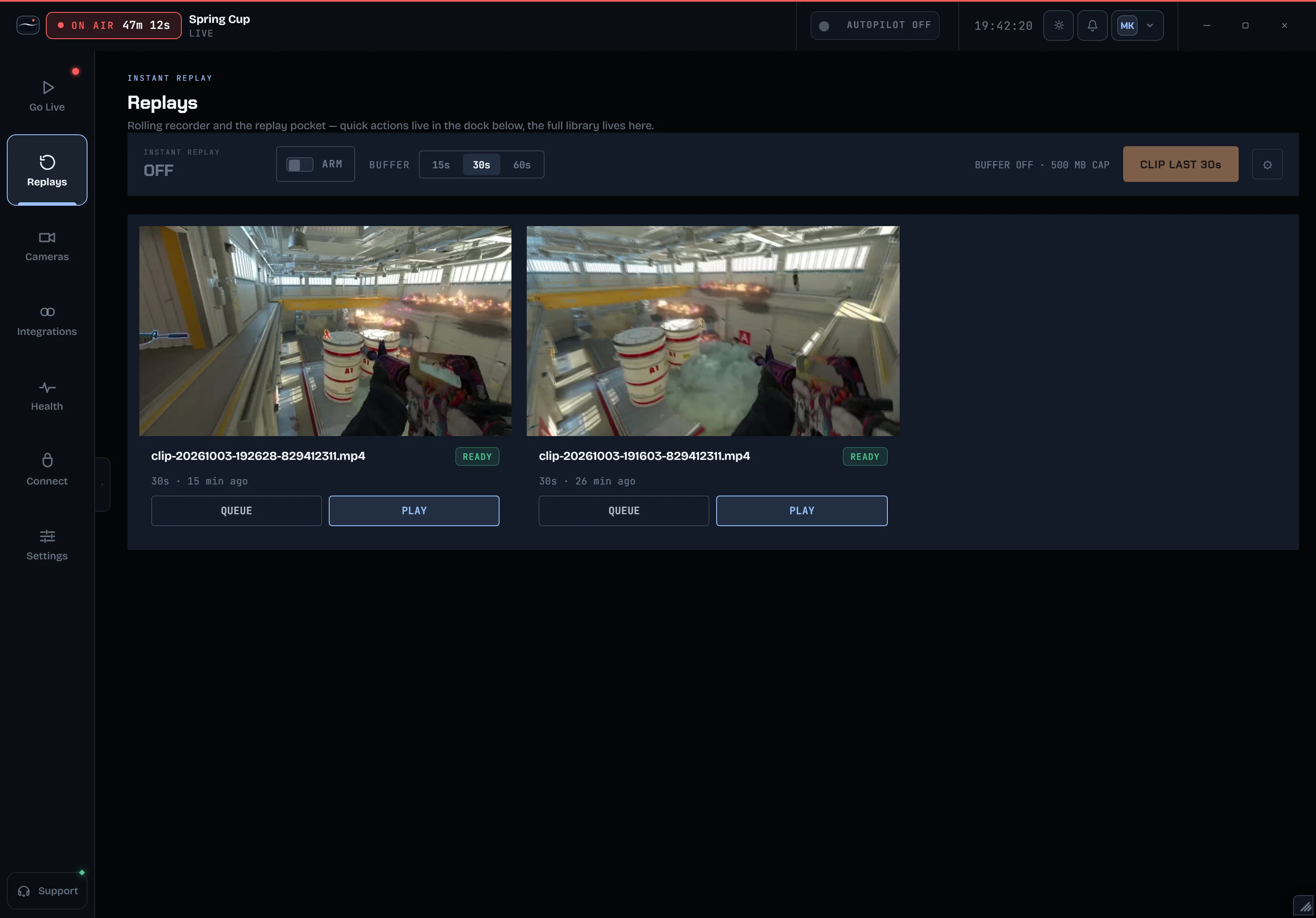
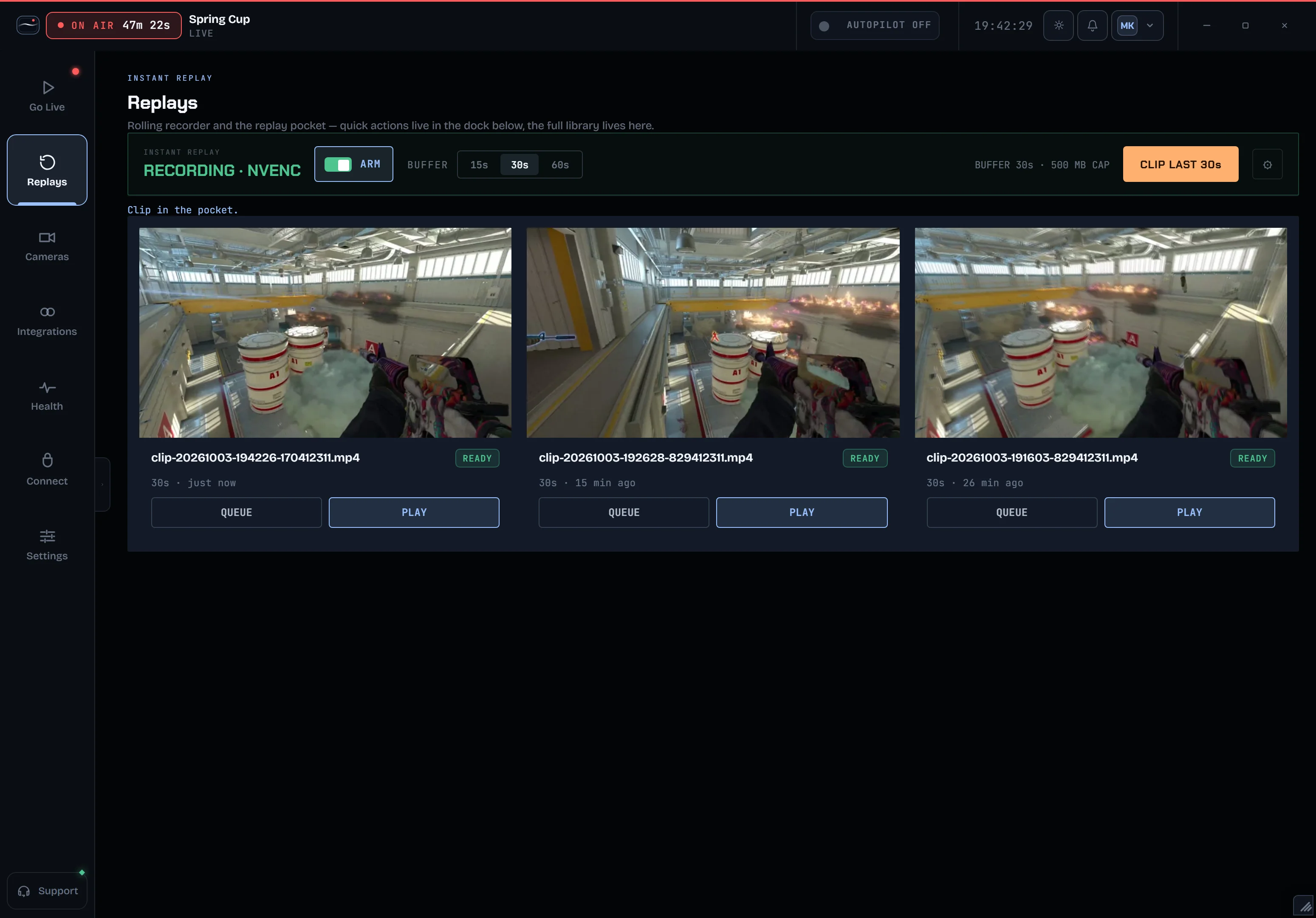
ARM: the recorder runs a 30 s rolling buffer.
From a link to a bracket.
Behind every match, the event: paste a link, edit the teams, share the bracket.

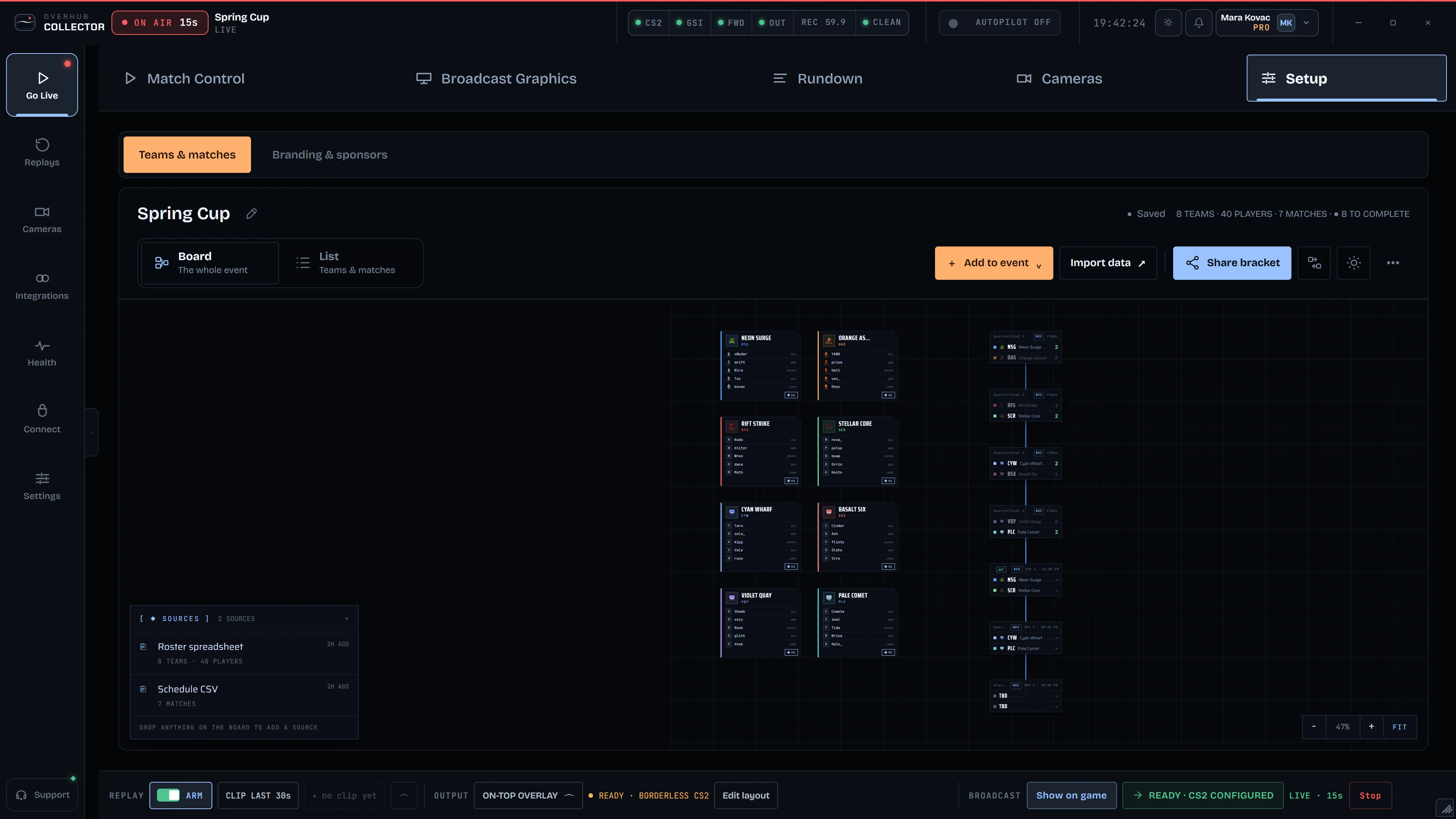
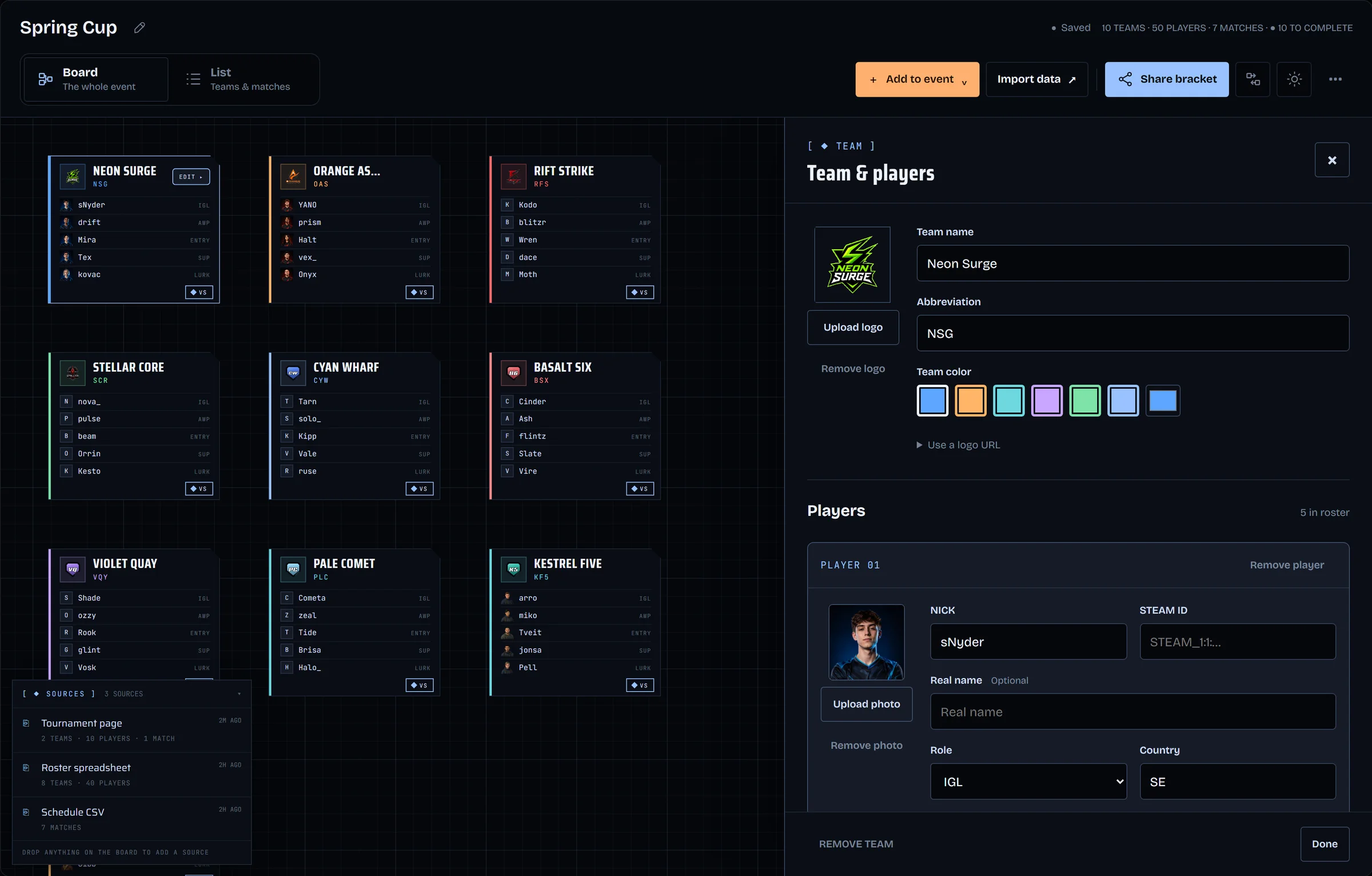
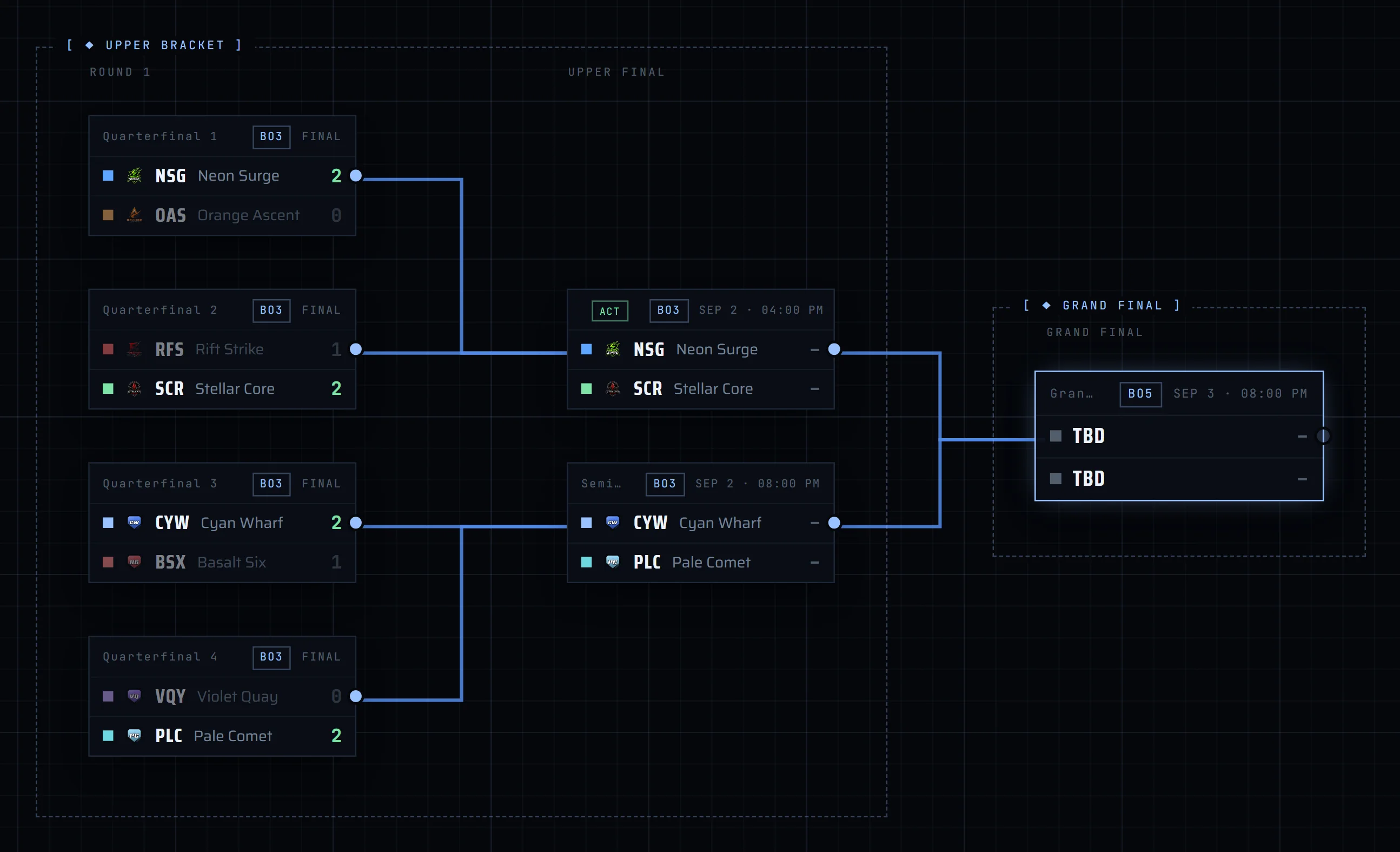
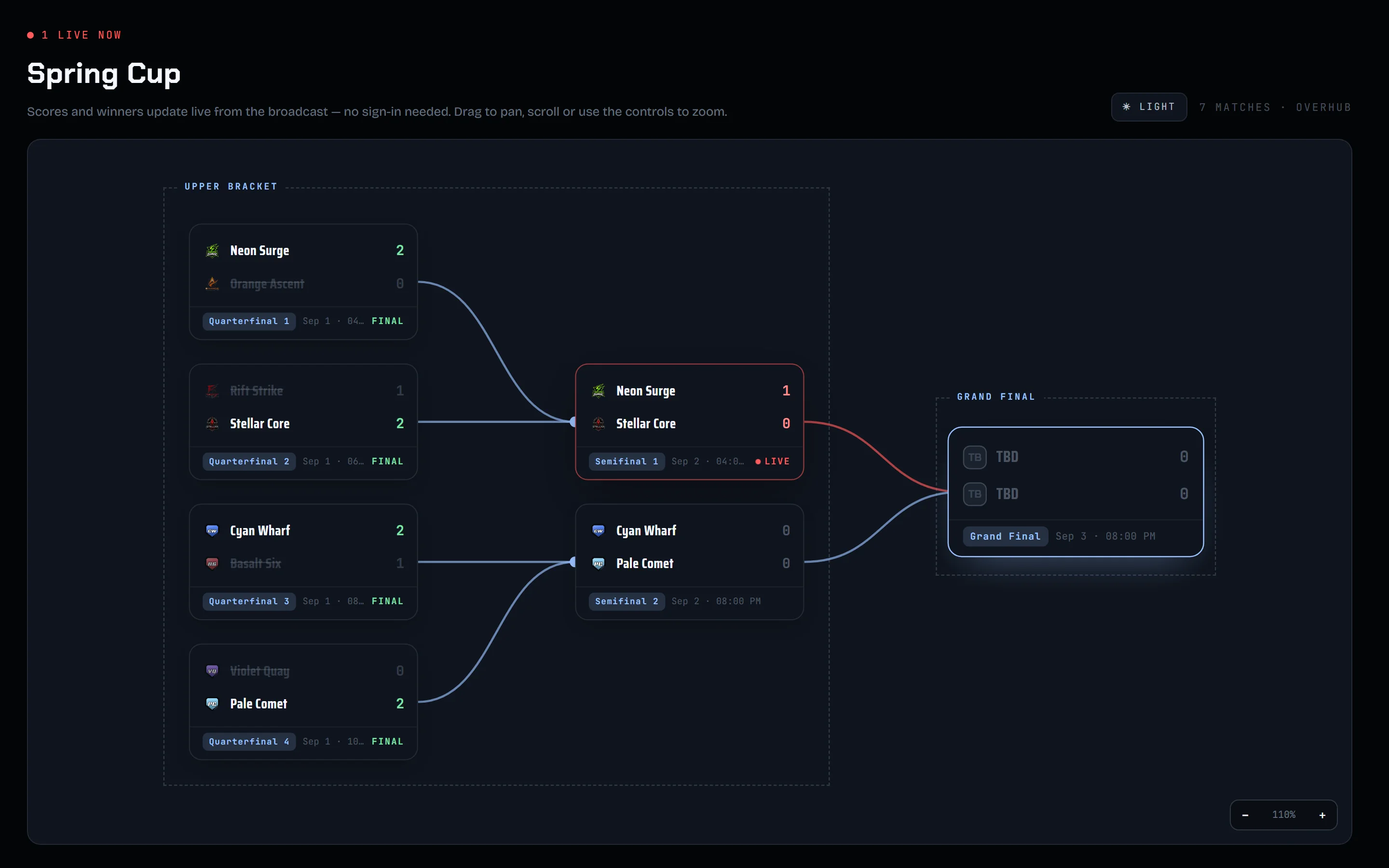
Paste an HLTV link.
Everything, in one window.
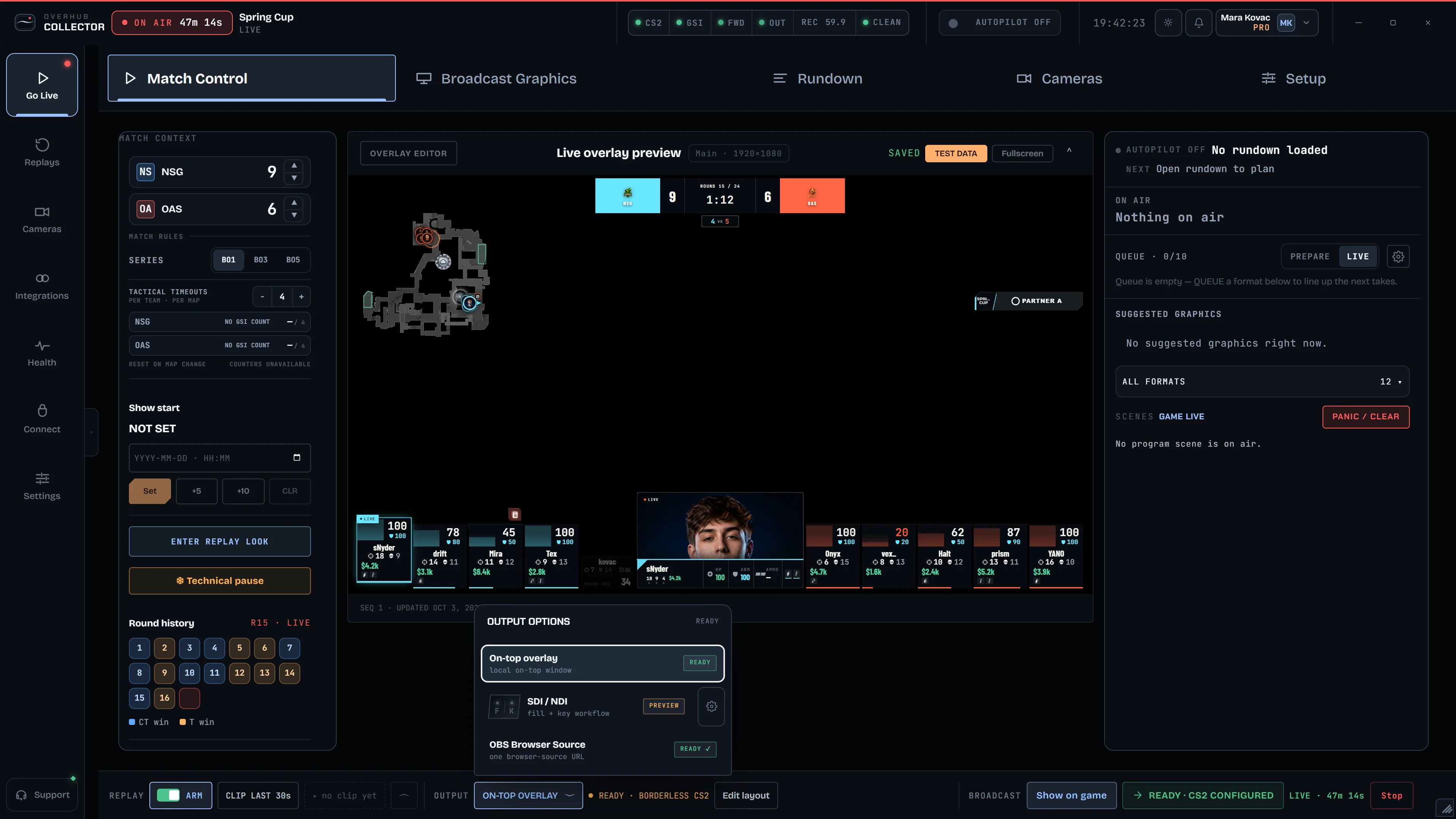
And one app runs all of it, from the match to the output.
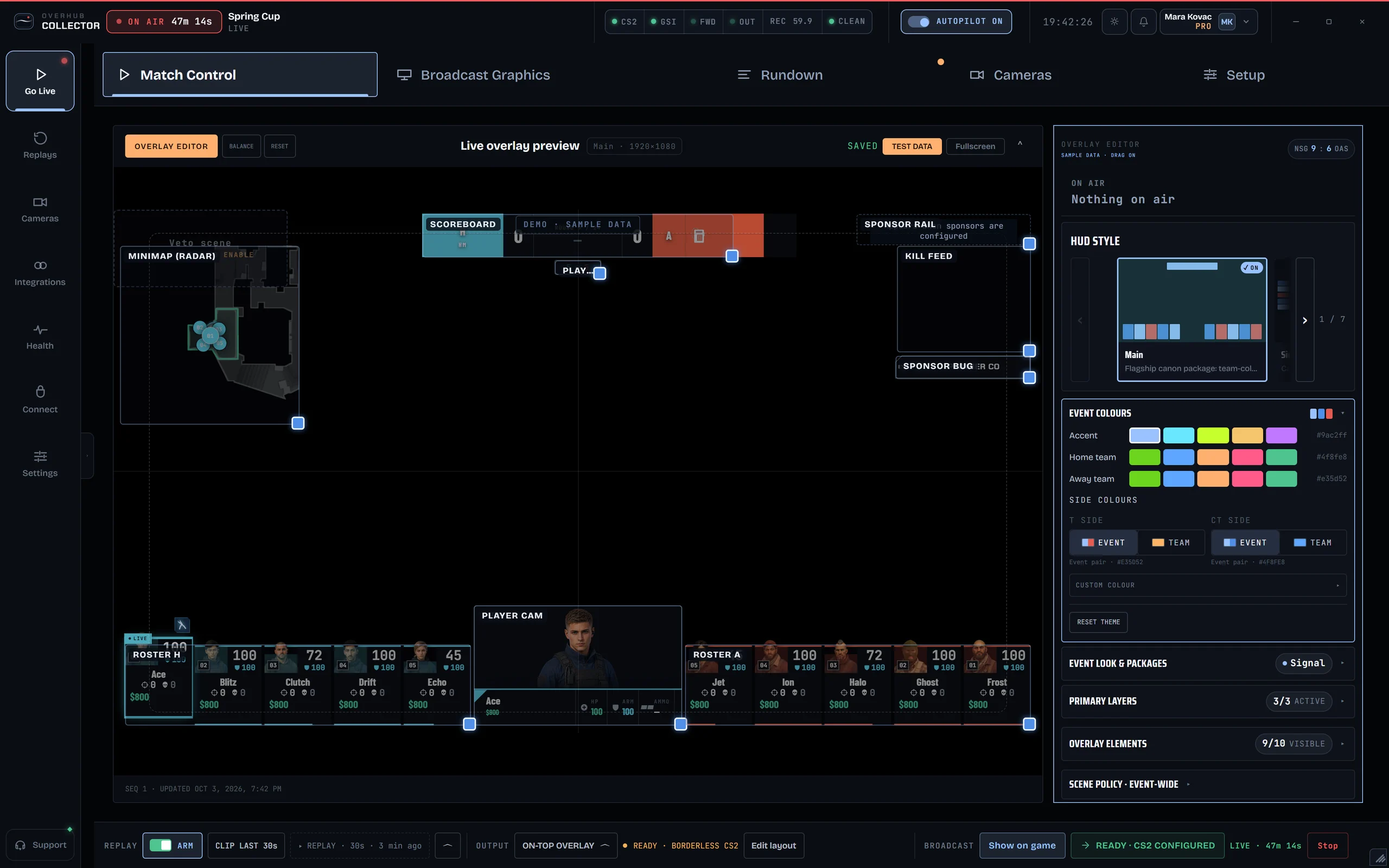
- Match controlScore, series, round history.
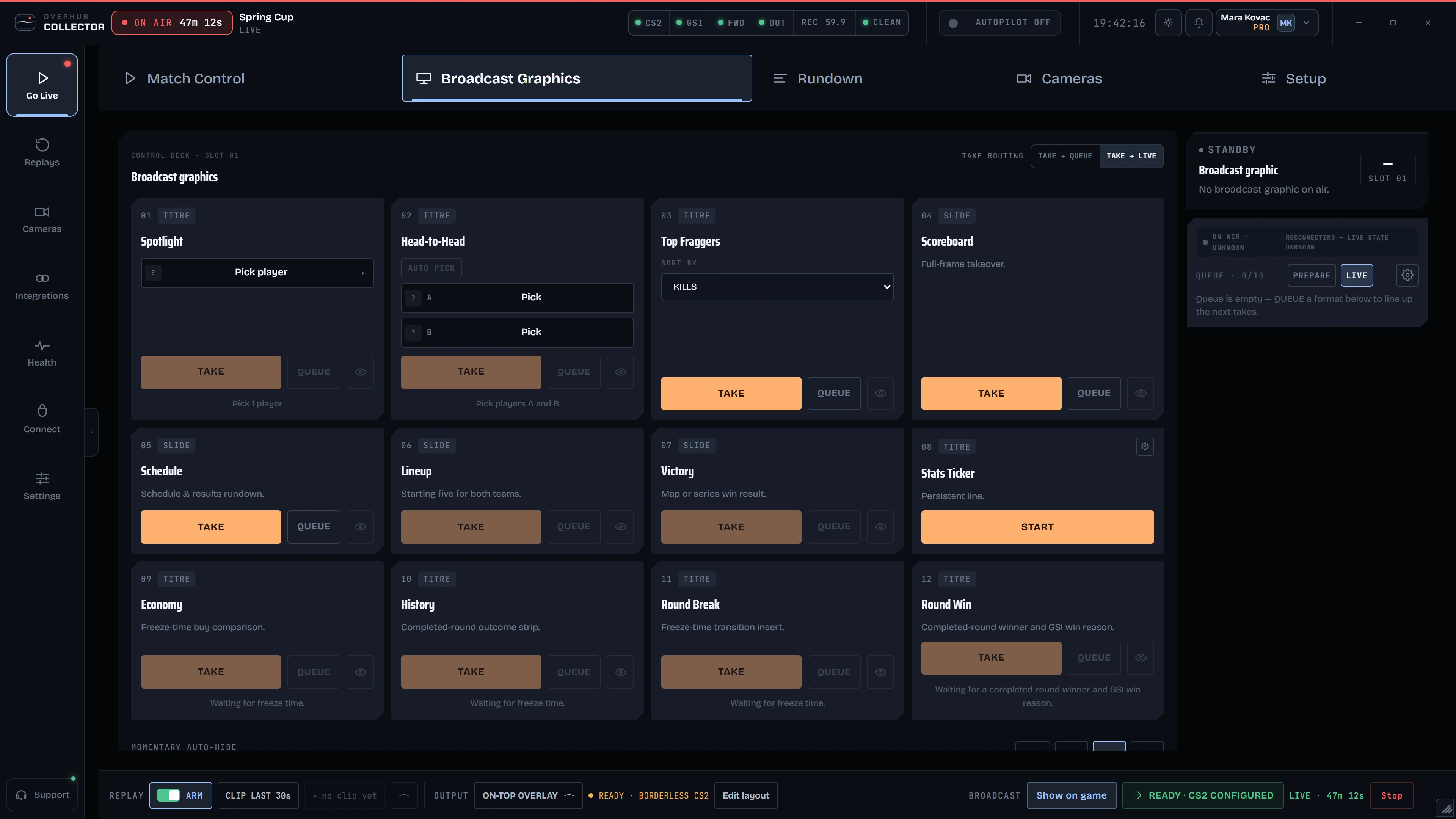
- Broadcast graphicsTitles, one click to air.
- AutopilotGraphics on game events.
- ReplaysARM and CLIP LAST 30s.
- OutputOn-top, OBS, SDI / NDI.
- SponsorsAssets, scenes, airtime, plates.
- CamerasCamera room, player cam.
Everything in the box.
 Live HUDSeven HUD presets driven by live CS2 data.Available
 Bomb stylesInline, expand, circle and full C4 units.Available
 Round history and economyInserts that air at freeze time and round end.Available
 Impact titlesPre-, in- and post-match titles, one click to air.Available
 AutopilotGraphics fire on game events; you can always override.Available
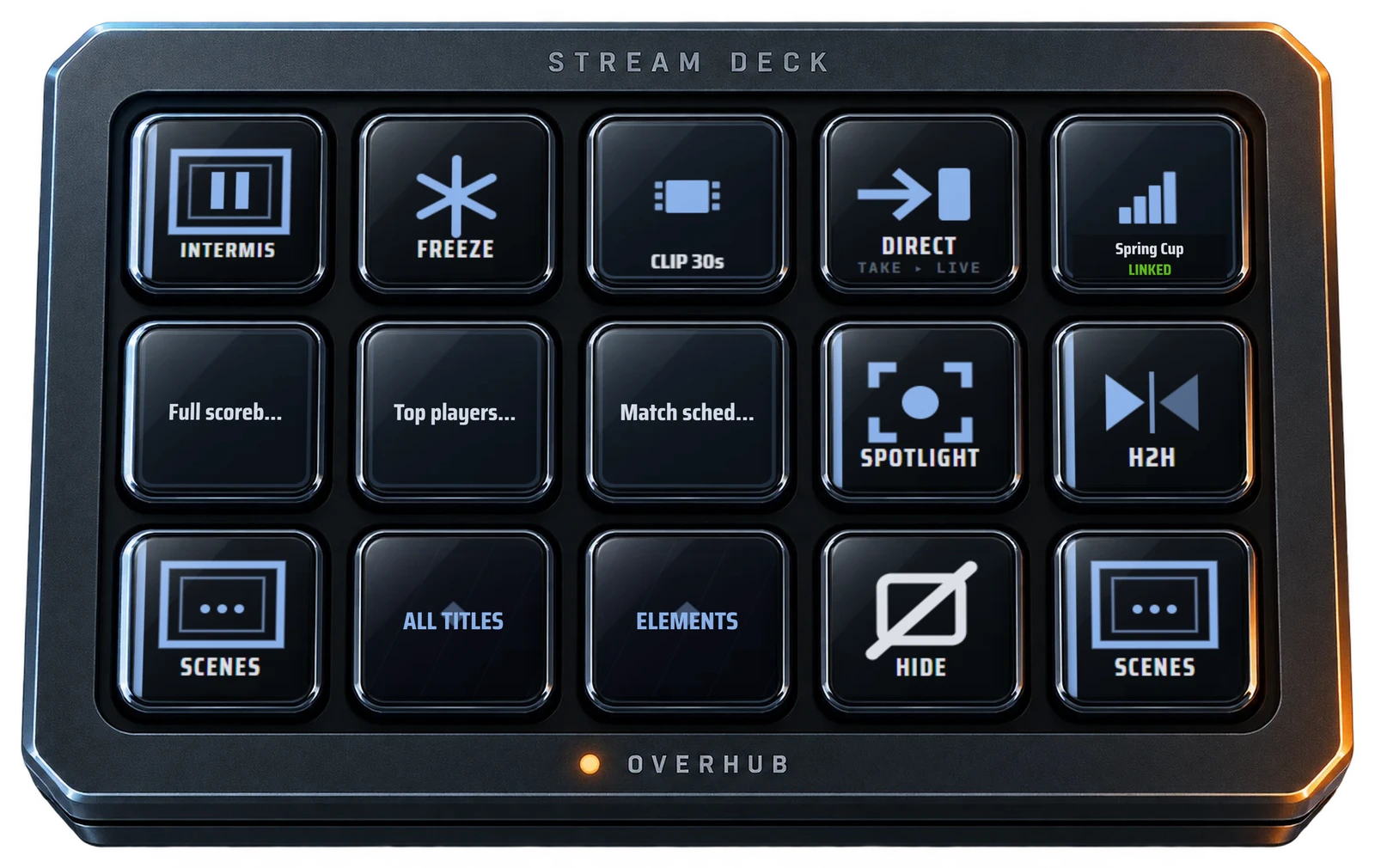
 Stream Deck profileTake, hide, freeze and clip from the Overhub Live profile.Available
 Sponsor placementsEight placements, rotation with hold and transition.Available
 Cameras by linkPlayers join a camera room from a browser link.Available
 OBS and on-top outputOne browser-source URL, or an overlay over the game.Available
 AI importLinks, sheets and documents to teams and matches, reviewed first.Available
 Board and public bracketRun the bracket on the Board; share a public page.Available
 Colour packagesPick a package; the running HUD recolours on apply.Available
 Collector appCS2 detection, GSI setup and browser sign-in.Available
 Layout geometryDrag and resize HUD elements in the editor.Available
 ReplaysARM, CLIP LAST 30s and play it to air.Studio
 SDI / NDI fill + keyFill and key output in preview, not certified yet.Preview
Start small, or bring the whole league.
Compare packages Pilot · for streamersStreamerYour own CS2 broadcast on one production workstation.
- Live HUD, Impact titles and Autopilot
- AI import from links, sheets and documents
- OBS browser source or on-top overlay
 Event · for event producersDirectorA tournament or event, run start to finish by your crew.
- Everything in Streamer, for multi-workstation crews
- Player cameras by browser link
- The Board, the bracket and a public bracket page
 League & Enterprise · for leaguesStudioYour broadcast identity, season after season.
- Replays: arm, clip the last 30 seconds, play to air
- Custom HUD and title packages from our studio
- Multi-event scope with expanded support
Questions operators ask.
Do I need OBS?
No. Run the on-top overlay over the game, or add one browser-source URL to OBS.
What runs on the production PC?
The collector. It detects CS2, installs the GSI config, signs you in through the browser and restores your session.
How fast is event import?
Paste a link, a sheet or a document and AI import drafts the teams, rosters and matches. Nothing applies until you review it.
Can graphics run without an operator?
Yes. Autopilot airs graphics on game events, and any key or click overrides it.
How do player cameras join?
From a browser link on the player's PC: pick the webcam or a vMix/OBS virtual camera, GO LIVE.
Can sponsors appear outside the HUD?
Yes. Each sponsor can be placed on any of eight surfaces, from the player cam to the victory screen.
Do you build custom packages?
Yes. Our studio builds title and HUD packages for your event, like the Impact titles on this page.
SDI / NDI?
Fill + key output is in preview and not certified yet. OBS and the on-top overlay are ready today.
Ready to see it running your match?
Tell us the event and the date. We’ll come back with a plan.
Want the full technical breakdown? View the live data catalog
Sample match · real Overhub renders · Impact titles are a studio package · YOUR SPONSOR placeholder slot · SAMPLE camera feed and device names · pointer added in clips. The Stream Deck window is a composite of the Overhub Live profile's key faces. Title logos and teams are the designer's samples, not Overhub partners; the team stats figures are illustrative.